

English
Severities
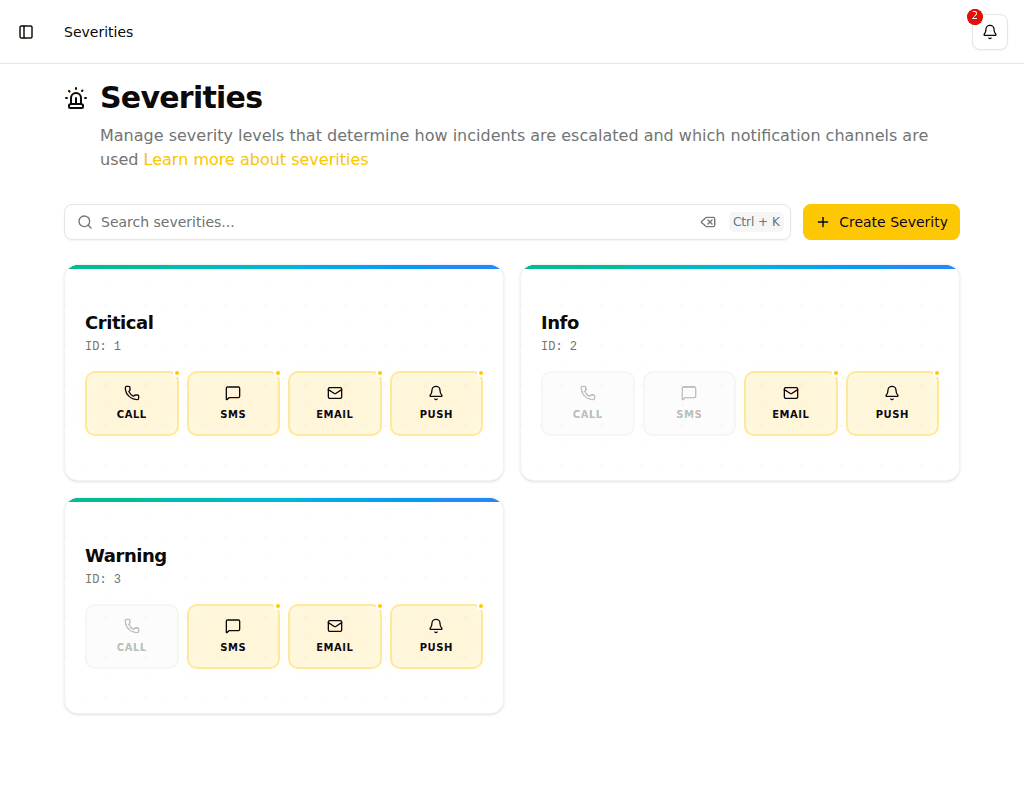
Severities define the importance level of incidents and determine which notification channels are used when escalating.
Notification Channels
Each severity level can be configured with one or more notification channels:
| Channel | Description |
|---|---|
| Send email notifications to recipients | |
| SMS | Send text message notifications |
| Push | Send mobile push notifications |
| Call | Initiate phone call notifications |
Push notifications
Push notifications are delivered by the Pulse Dispatch mobile app. Recipients need the app installed on their phone to receive them — it is available on the App Store for iPhone and iPad.
Creating a Severity
- Navigate to Severities in the sidebar
- Click Create Severity
- Enter a name and select the notification channels
TIP
Create severities that match your organization's incident response procedures. Common patterns include: Low (email only), Medium (email + SMS), High (email + SMS + call).
Using Severities in Escalation Policies
Severities are referenced in escalation policy steps. Each step specifies a severity level, which determines how recipients are notified at that escalation stage.
See Escalation Policies for details.