

English
Markdown Reference
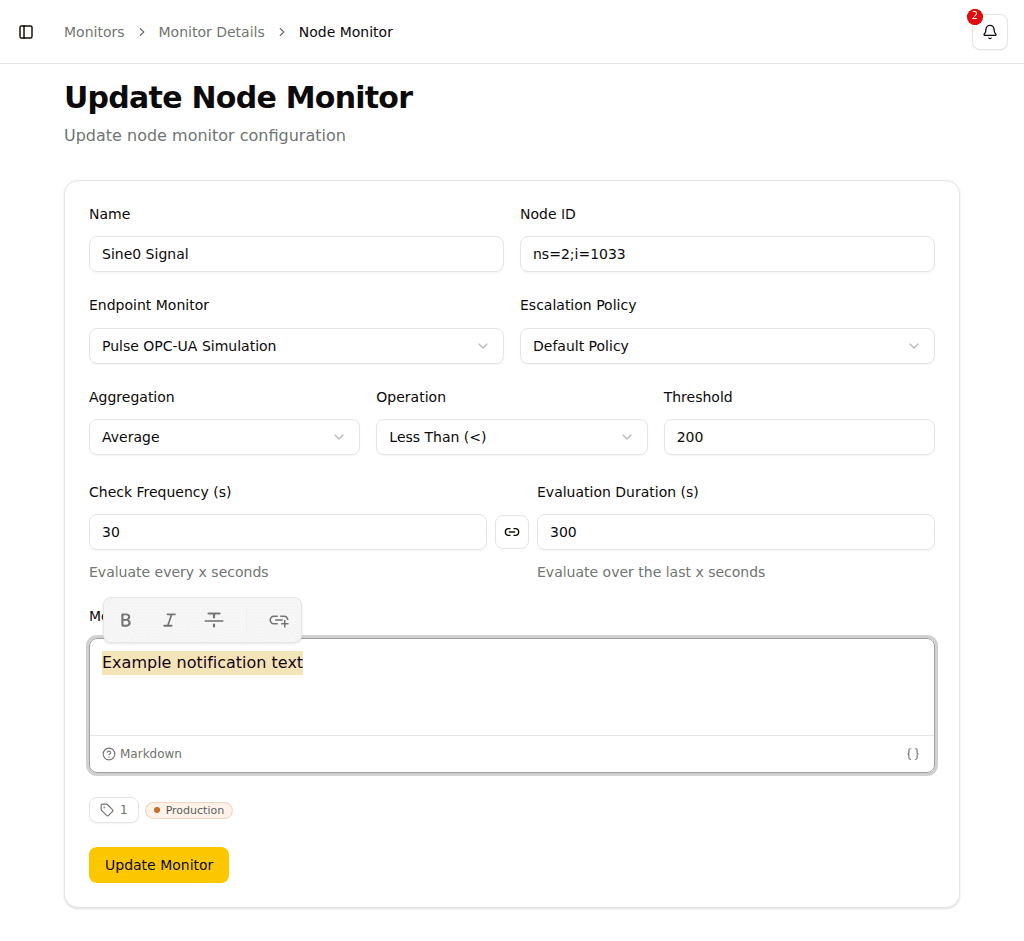
The message template editor in Pulse supports Markdown formatting. Use the toolbar buttons for quick formatting, or type Markdown syntax directly.
Text Formatting
| Syntax | Result |
|---|---|
**bold text** | bold text |
*italic text* | italic text |
`inline code` | inline code |
TIP
Select text in the editor to reveal the floating toolbar with Bold, Italic, and Code buttons.
Headings
markdown
# Heading 1

## Heading 2

### Heading 3

#### Heading 4

##### Heading 5
Lists
Bullet list:
markdown
- First item
- Second item
- Third item
Numbered list:
markdown
1. First step
2. Second step
3. Third step
Links
markdown
[Link text](https://example.com)WARNING
Only https:// and http:// links are supported.
Blockquotes
markdown
> This is a blockquote.Code Blocks
markdown
```
Code block content
```
Images
markdown
Paragraphs
Separate paragraphs with a blank line between them.
markdown
First paragraph.

Second paragraph.