

English
Escalation Policies
Escalation policies define how incidents are communicated to your team. They specify who gets notified, through which channels, and in what order.
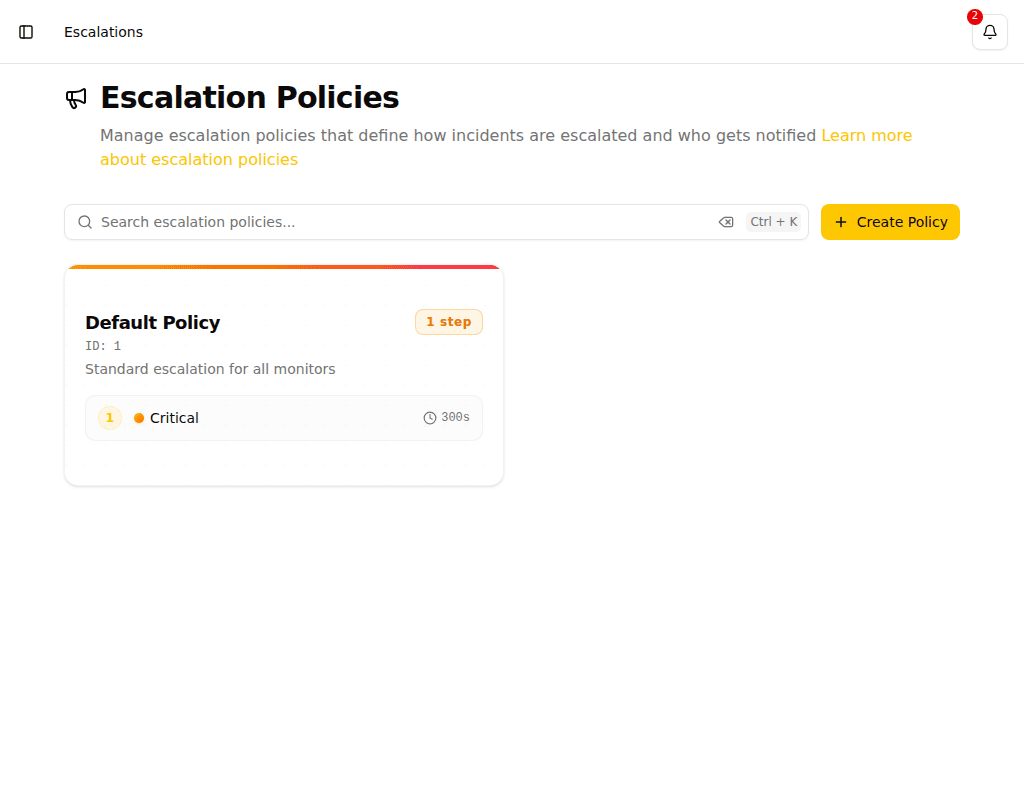
How Escalation Works
When an incident is created, Pulse follows the assigned escalation policy:
- The first escalation step is triggered immediately (or after a configured delay)
- Notifications are sent to the specified recipients via the severity's notification channels
- If the incident is not acknowledged within the configured time, the next step is triggered
- Steps can repeat a specified number of times before moving to the next level
When an Operating Hours step is reached outside its configured window, the escalation pauses and waits. The incident activity feed records an Escalation paused — outside operating hours event and shows when the escalation will resume.
Creating an Escalation Policy
- Navigate to Escalations in the sidebar
- Click Create Escalation Policy
- Configure the policy name and steps
Configuring Steps
There are two types of steps:
Notify step — Sends notifications to the configured recipients.
| Field | Description |
|---|---|
| Severity | The severity level that determines notification channels |
| Initial Delay | Seconds to wait before triggering this step |
| Repetitions | How many times to repeat this step before escalating |
| Recipients | Users, teams, and/or on-call schedules to notify |
Operating Hours step — Pauses the escalation until the configured time window applies. When the escalation reaches this step outside the configured hours, it waits until the hours next begin before proceeding to the next step.
| Field | Description |
|---|---|
| Mode | Weekdays, Every day, or Custom (per-day schedule) |
| Hours | Start and end time of the window |
| Invert | When enabled, the gate holds while the hours apply and proceeds outside them |
Operating hours are evaluated in the organization's timezone (configured in Settings).
Use an operating hours step to route escalation differently by time of day — for example, page the on-call team immediately but only escalate to the manager during business hours.
TIP
Start with a lower severity for the first step and escalate to higher severities. This prevents notification fatigue while ensuring critical issues reach the right people.
What Happens When Nobody Acknowledges
After all escalation steps have run, you can configure what Pulse does if nobody acknowledged the incident:
- Don't repeat -- Stop after the last step. No further notifications are sent.
- Repeat N times -- Restart the escalation sequence up to N times (maximum 20). Each full cycle runs all steps again.
- Then escalate to -- After the repetitions are exhausted, hand off to another escalation policy. This lets you chain policies — for example, repeating a team policy twice and then escalating to a management policy.
These settings are configured in the What happens when nobody acknowledges section of the escalation policy form.
The detail page for an existing policy shows a summary of this configuration.
When a Resolved Alert Comes Back
The Reopen window setting controls what happens when the same trigger monitor fires again shortly after an incident was resolved.
| Setting | Behavior |
|---|---|
| 0 (off) | Every re-fire starts a brand-new incident with its own responder and escalation from the first step |
| N seconds | If the same alert fires again within N seconds of being resolved, the original incident is reopened instead of a new one being raised |
When an incident is reopened, it keeps its responder, comments, and escalation position — whoever already acknowledged it is not paged again. The resolved notification is also held back for the same duration, so a reopen within the window is never announced as fixed.
Set a reopen window if a flapping source keeps splitting one problem across several incidents. Set it to 0 to always start a fresh incident on each re-fire.
The policy detail page shows a summary of this setting under When a resolved alert comes back.
Example Configuration
A typical escalation policy might look like:
Step 1 -- Email notification
- Severity: Low
- Delay: 0 seconds
- Repetitions: 2
- Recipients: On-call team
Step 2 -- SMS notification
- Severity: Medium
- Delay: 300 seconds (5 minutes)
- Repetitions: 1
- Recipients: Team leads
Step 3 -- Phone call
- Severity: High
- Delay: 600 seconds (10 minutes)
- Repetitions: 1
- Recipients: Plant manager