

English
OPC UA Configuration
OPC UA (Open Platform Communications Unified Architecture) is an industrial communication protocol for secure, reliable data exchange. Pulse connects to an OPC UA server as a data source and reads its values.
Adding an OPC UA Data Source
A data source holds everything about one server connection in one place: its address, how the channel is secured, how Pulse authenticates, and how often values are read.
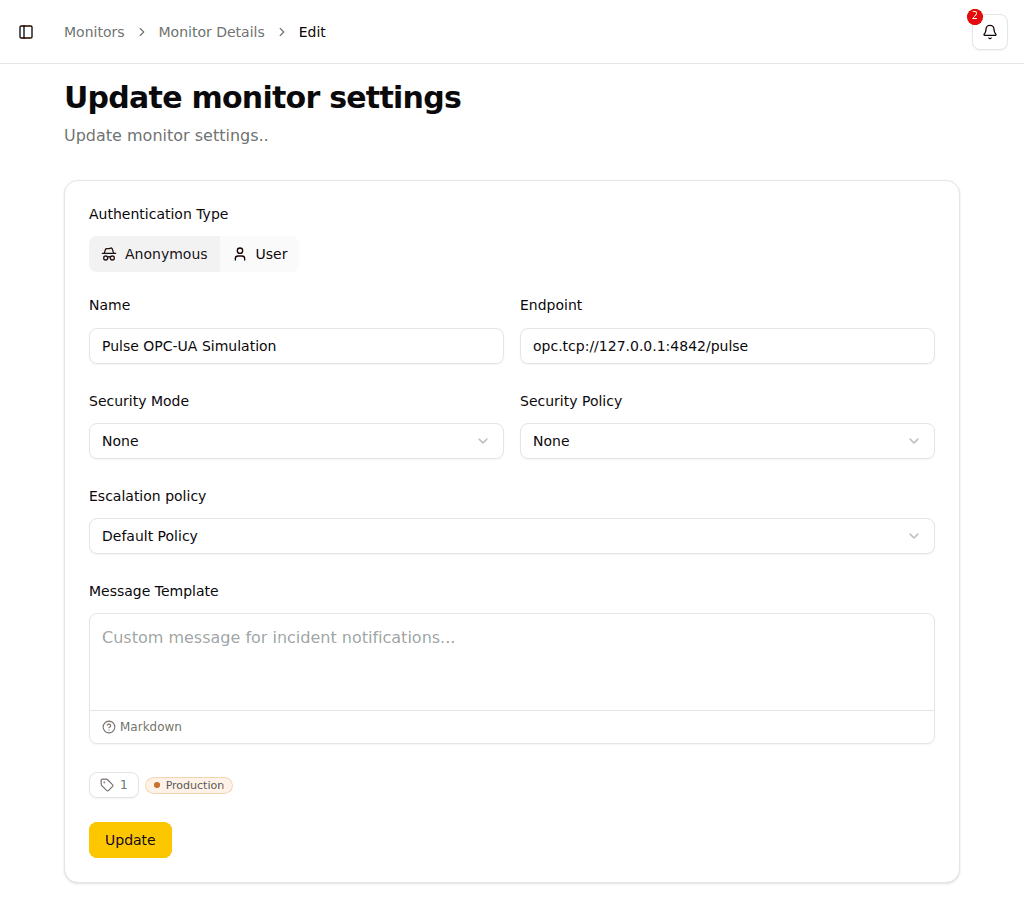
- Navigate to Data sources → OPC UA in the sidebar, which lists every OPC UA server Pulse reads, and click New data source
- Select OPC UA
- Configure the source:
| Field | Description | Example |
|---|---|---|
| Name | A descriptive name for the source | Production Server 1 |
| Connection | Endpoint URL, security mode and policy, authentication, and the server's pinned certificate — all configured together | opc.tcp://192.168.1.100:4840 |
| Read interval (seconds) | How often every data point of this source is read | 10 |
| Acquire from this data source | Switch this off to stop polling without deleting the source | |
| Tags | Categorize the source; every data point inherits its tags | |
| Alert me when this source is unreachable | Creates a monitor alongside the source (see below) |
Click Configure connection to open the connection panel, where the endpoint URL, security mode, security policy, authentication, and the pinned server certificate are set as one unit. The form then shows a summary of what you committed; Edit reopens the panel.
Adding from device discovery
If you arrive here from Device Discovery by clicking Add on a found device, the Name and endpoint URL are already filled in from the scan results. Review them and proceed with the remaining fields.
Security settings
The security mode, security policy, authentication, endpoint discovery, and both certificates involved in the connection are explained in depth in OPC UA Security. In short: use Sign & Encrypt with Basic256Sha256 or stronger in production, and let Discover endpoints pick the strongest configuration your server offers.
NETWORK REQUIREMENTS
Ensure your firewall allows TCP connections on the OPC UA port (default: 4840) between the Pulse server and your OPC UA servers.
Being Alerted When the Server Goes Down
Alert me when this source is unreachable is ticked when you add a source. It creates a condition monitor named after the source — Production Server 1 unreachable — that raises an incident once Pulse stops getting readings from it. Pick the escalation policy it should use in the field below the tick box.
From the moment it exists, it is an ordinary monitor: rename it, mute it, change its escalation policy, edit its condition, or delete it, all from the monitor list. Untick the box if nobody should be paged for this particular server.
Adding Data Points
The individual values on a server are data points of the source. The source's detail page lists every one Pulse reads, with its node ID, last value, last sample time, and reading quality. Long addresses are truncated in the table; click an address to open a popover showing it in full, with a button to copy it to the clipboard — useful for pasting into a PLC project or an OPC UA client.
To declare a new data point, open the source's detail page and choose Add data point above the Data points table. The dialog (or drawer on mobile) has two tabs:
- Browse — connects to the OPC UA server and lets you navigate its nodes to find the values you want to read. Tick one or more nodes and click Add. Nodes already declared on this source are marked and skipped.
- Type manually — enter the node's OPC UA identifier directly, e.g.
ns=2;s=Temperatureorns=2;i=1001.
The data point's value type is filled in once the first reading arrives. Pulse starts polling the new node on the source's next cycle.
Browsing on a phone
On a phone, the browse tab shows one level of the server's node tree at a time. Tap a folder to walk into it; the breadcrumb above the list shows the path back to the root. Values can be selected at any depth — selections survive walking between folders.
Each level has a filter field that searches the names and node IDs visible on that level. Two toggles narrow the list further: Values only hides folders so only selectable nodes appear, and Hide existing hides nodes already declared on this source.
The footer shows how many nodes are selected and a Clear selection link. When you tap Add, a progress bar counts off each declare request ("X of Y") with a Cancel button that stops the loop after the request in flight — the remaining selected nodes stay selected for a retry.
Searching data points
When a source has many data points, use the search box above the table to find a specific node by name, address, or description. The search runs on the server — it reaches every data point on the source, not just the current page — so typing a term into the box is the reliable way to locate one node among thousands. The term is kept in the URL, so a bookmarked or shared link opens straight to the same filtered view.
Alerting on a Value
To alert on a data point, build a condition and attach a condition monitor to it. A condition compares readings against thresholds, aggregates them over a time window, and can combine several of them — including a reading and its source's reachability in one rule, so an unplugged cable raises the one incident that says the cable is unplugged instead of one per value read through it.
The source's detail page shows a Monitors section listing every condition monitor that alerts on any data point of this source. Click a monitor to open its detail page. A source with no monitors alerts on nothing; that section says so explicitly — a useful reminder that readings are being collected but nobody is paged when they go wrong.
Each row in the data points table also shows which monitors alert on that specific node. A single monitor appears as an icon button that opens it directly; when two or more monitors alert on the same node, the button shows the count and opens a picker listing them by name.
Each row also has an Open in Query action in its context menu (right-click or the ⋮ button) that takes you to the Query page pre-aimed at that data point, so you can explore its reading history without building the query from scratch.
Data points build up a history only while you keep them. Use Keep on the source's detail page for the values you want to chart and query over the long term; the rest stay readable for 24 hours.
OPC UA Alarms & Conditions
OPC UA Alarms & Conditions (A&C) is a standard mechanism for servers to push event and alarm notifications to clients. When an OPC UA data source receives an A&C event notification, Pulse automatically creates an incident for it.
Each incident created from an A&C event:
- Uses the alarm message from the OPC UA server as the incident title
- Displays the same alarm message in the incident detail view as the description, so the full alarm text is always visible in notifications and incident details
Incidents from A&C events are deduplicated: if the same condition triggers multiple times, only one open incident is created per condition.
Alarms & Conditions is a switch on the source's edit page, on by default for a new source. Switched off, Pulse holds no A&C subscription against the server and records none of its events — data points keep reading as before, since acquisition and alarming are independent. Switching it back on resubscribes and, through the OPC UA ConditionRefresh mechanism, resynchronizes every condition still active on the server, so alarms raised while the subscription was off are picked up on the next refresh.
The Alarms & Conditions monitor
The first time a source's A&C switch goes on, Pulse creates a dedicated monitor for it, named <source> Alarms & Conditions. Every alarm incident from that source raises against this monitor — never against the source's own unreachable monitor, so a stuck valve and a severed network cable are always two different problems in two different places. A badge on the source's detail page links straight to it.
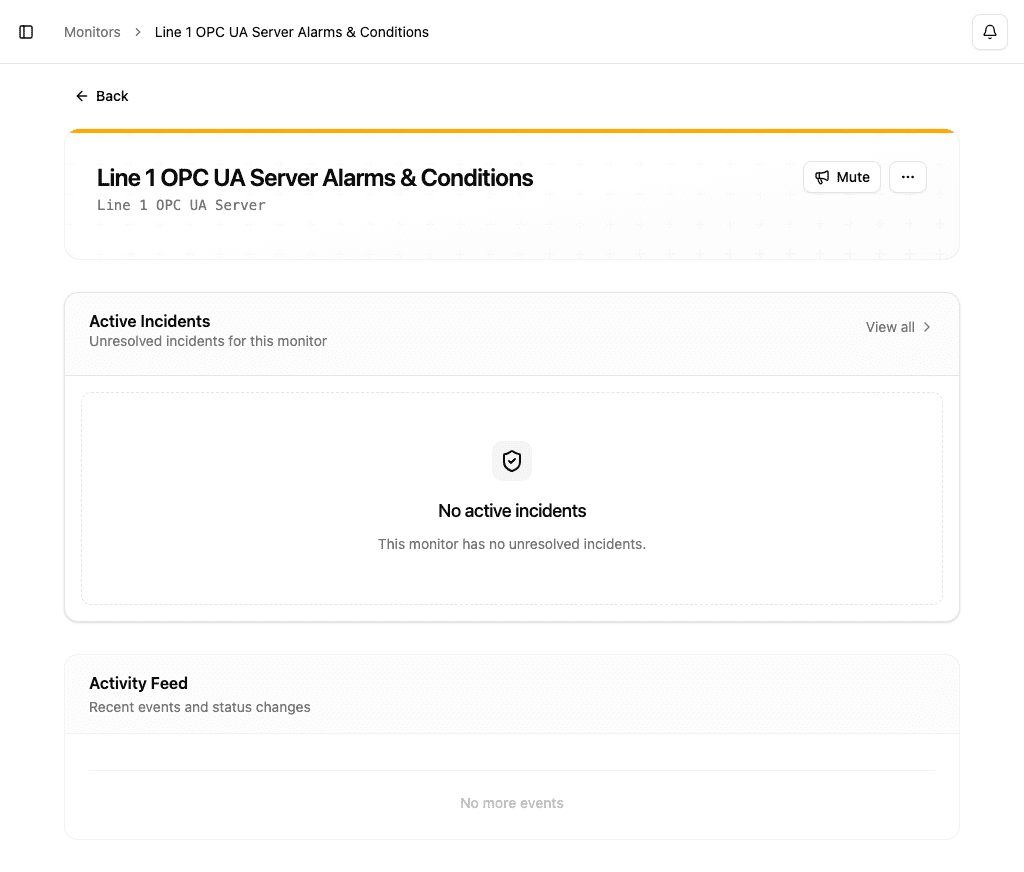
The monitor is Unhealthy while any alarm from the source is active, and returns to Healthy the moment the last one clears. Otherwise it behaves like any monitor: mute it, tag it, and it keeps its own escalation policy — though which policy actually fires is decided per alarm by severity below, not by this one setting alone.
Turning A&C off, disabling the source, or deleting it never deletes this monitor — it deactivates, so its configuration, tags, and incident history all survive a toggle cycle. Turning A&C back on reactivates the same monitor rather than creating a new one. One consequence follows directly from the switch being independent of the subscription: an alarm incident that is open when A&C is switched off stays open. Nothing is watching the server to close it, so it is closable only by hand until the next ConditionRefresh — on re-enabling — tells Pulse the underlying condition already cleared while nobody was listening.
Routing by severity
Every OPC UA alarm carries a severity from 1 to 1000, and a source's severity bands decide which escalation policy an alarm of a given severity uses. The bands are a strict partition of the full 1–1000 range: every severity belongs to exactly one band, and every band routes somewhere — either to a policy you pick, or to Default, which defers to the A&C monitor's own escalation policy.
Edit the bands from the Severity bands panel on the source's edit page, active only while Alarms & Conditions is switched on:
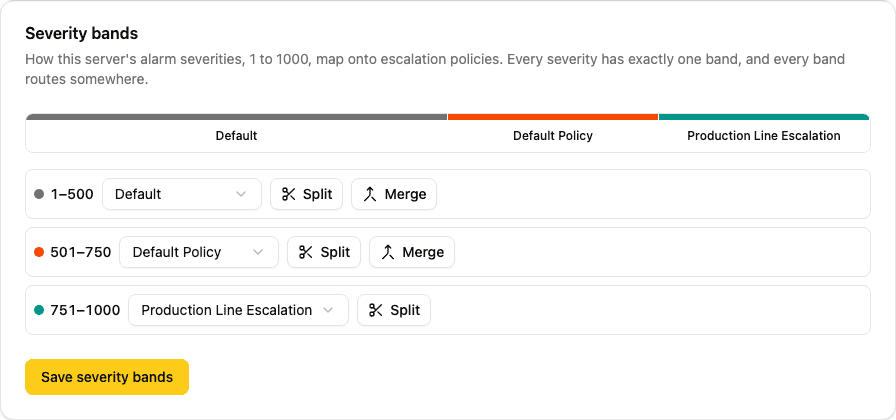
The bar is the control. Drag the handle between two bands to move their shared boundary (or use the arrow keys once the handle has focus). Tap or click a band to open its panel, which shows:
- Policy select — assigns the band an escalation policy, or Default
- Lower and upper bounds — the exact severity range, editable by typing a number; committed on blur or Enter, clamped to keep every band at least one severity wide
- Split — divides the band into two equal halves, both inheriting the original policy
- Merge with [adjacent band] — joins the band with the one after it, keeping this band's policy
Every operation keeps the range gapless and non-overlapping by construction, so there is no invalid state to save.
Severity decides routing only, never health
A band chooses which escalation policy an alarm's incident uses. It does not change whether the monitor is Healthy or Unhealthy — any active alarm makes the A&C monitor Unhealthy, whatever severity it carries. A source with only low-severity chatter open is exactly as unhealthy as one with a single critical alarm.
The policy is fixed when the alarm first raises
An alarm's escalation policy is chosen once, from the band its severity fell into at the moment the incident was raised, and stays fixed for that incident's whole lifetime. If the server later reports the same condition at a higher severity — climbing from 300 to 900, say — the incident keeps escalating on the policy the band at 300 selected; it is not moved to the band at 900. This is deliberate, not a bug: re-routing a live incident mid-escalation is out of scope for now.
Application instance certificate
To open a secure channel (Sign or Sign & Encrypt), Pulse presents an application instance certificate — a self-signed X.509 identity, one per organization, shared by every OPC UA data source. Each OPC UA server must trust this certificate before it will accept a secure connection.
Managing the certificate — downloading it, trusting it on your servers, and revoking it if compromised — is covered in OPC UA Security — Application instance certificate.
Rotation — replacing an expiring certificate
Because a replacement certificate is a new identity, Pulse rotates with an overlap window: a replacement is minted ahead of time, you trust it on every server while monitoring keeps running on the old one, then you complete the rotation. The full workflow is described in OPC UA Security — Rotation.