

English
Deployment Options
Pulse can run as a hosted service or as an appliance inside your own network. This page explains what each option asks of your network, so you can bring the right answer to your IT and security teams before installation day.
The deciding question is usually not where the software runs, but which side opens each connection. Every diagram below is drawn to answer exactly that.
Pulse Cloud
Pulse Cloud is the hosted service: we run and update the application, you maintain no server, and the mobile app works from anywhere. One small component still runs at your site, because your machines are only ever read from inside your own network.
A collector runs inside your own network. It reads your machines locally and opens a single connection outward to Pulse Cloud — the same direction as the appliance, and for the same reason. It is linked to Pulse once, with a code; see Collector Pairing.
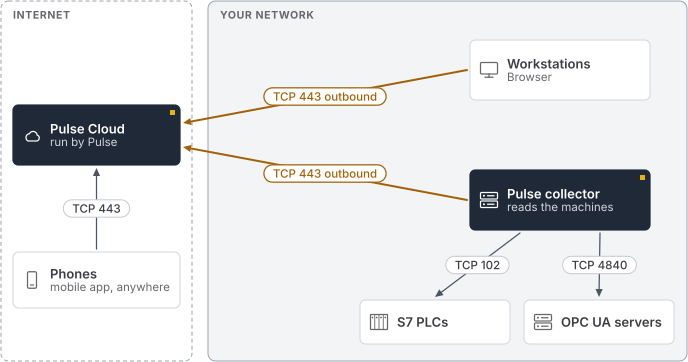
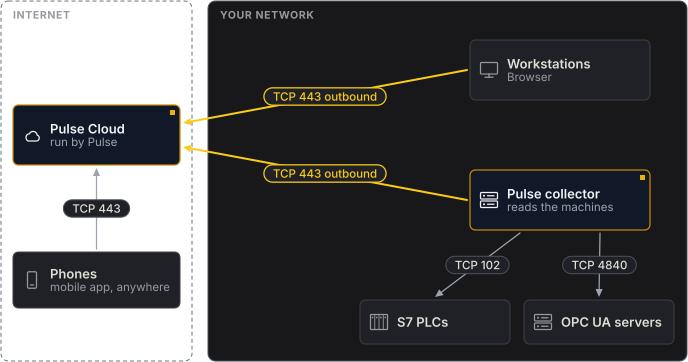
Two consequences follow. Your production network is never entered from outside: the only thing that talks to your machines sits in your network and belongs to you. And because the connection to the cloud is opened from the inside, no inbound rule is needed at any point — the same property the appliance has today.
One collector runs per site, and several sites report into one view, which is the part the appliance cannot do.
On-premise appliance
The appliance is Pulse as a single virtual machine or server that you run yourself. It reads the machines from inside your network, and the readings stay there. Where your machines sit in a separate production network, a Pulse collector reads them there and passes the readings to the appliance — see Separated IT and OT networks.
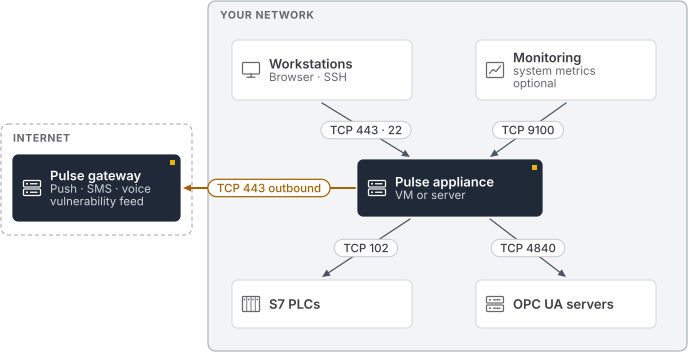
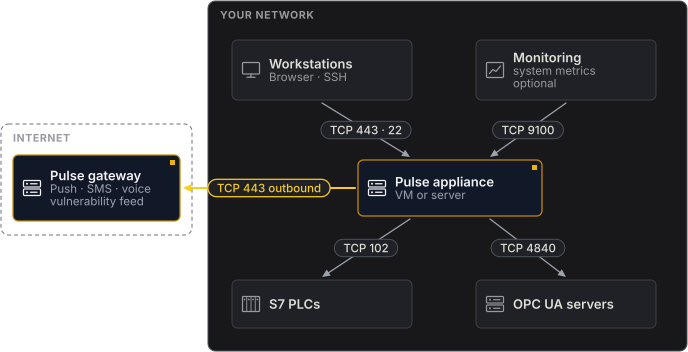
The appliance needs two ports open towards it from your own network: 443 for the web interface and 22 for administration and file exchange. Port 80 answers only to redirect to 443. The appliance's own system metrics are not reachable from the network; Pulse reads them locally at http://localhost:9100/metrics when you add them as a Prometheus data source.
Outward, it opens a single connection to the Pulse gateway on port 443. That connection carries push notifications, SMS and voice alerts, and the vulnerability feed. Alerts and the acknowledge and resolve actions travel back down the same connection, which is why no inbound rule is ever needed for them.
You can block that connection entirely. The appliance raises an incident to tell you it is offline, keeps monitoring, and keeps alerting by email and webhook. Combined with your own mail server, offline licensing and updates from removable media, that makes a fully disconnected installation a supported arrangement.
Separated IT and OT networks
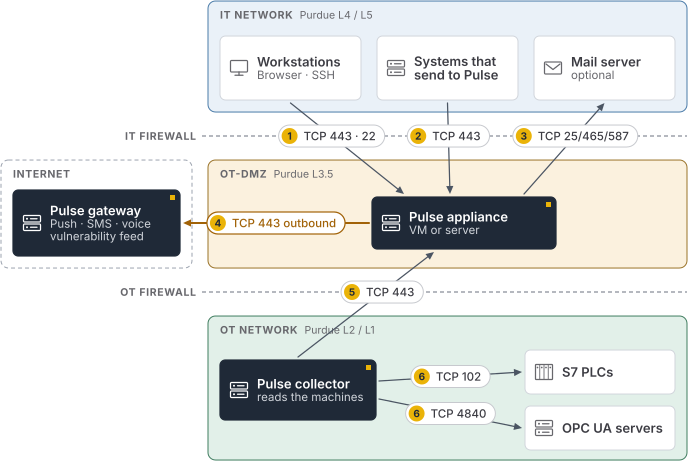
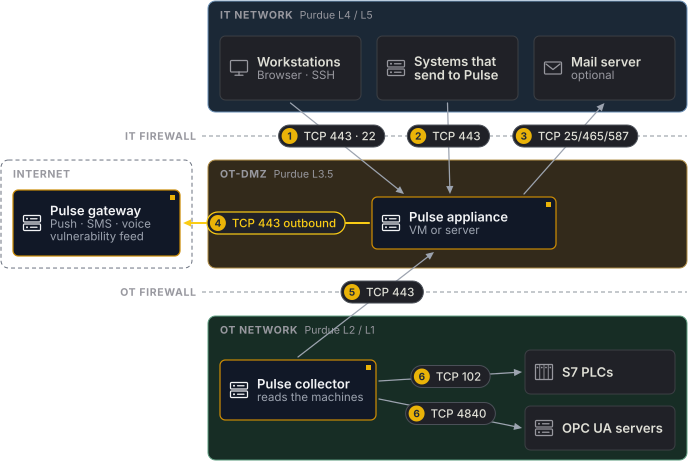
Where production and business networks are strictly separated, the appliance belongs in the demilitarised zone between them, and a Pulse collector reads the machines inside the production network. The collector opens a single connection up to the appliance, so nothing has to be allowed into the production network.
This is the shape a security assessment expects. If yours works in terms of zones and conduits — the model IEC 62443 uses — the three network tiers below are the zones, and the numbered firewall rules are the conduits between them. Each rule is one-directional and names a single port, which is what lets a reviewer check them one at a time. Pulse is architected to fit that model; it is not itself certified against the standard, and the table below is a description of the deployment rather than a compliance claim.
A smaller alternative: one appliance on both networks
Where the separation is less strict — a single plant, one team, no DMZ to put anything in — an appliance with two ethernet ports can sit on both networks itself, reading the machines directly instead of through a collector. Give it a port on the office network and a port on the production network, and configure the second one from the Network Configuration screen after installation; Networking covers that screen.
Pulse does not offer the web interface or SSH on the production-network port. Only the office-network port answers on 443 and 22, so the production network still has nothing administrative pointed at it, and rule 1 below still describes the only way in.
Two reasons to prefer the collector topology anyway: it is the only one that works when a firewall sits between the two networks and no host is allowed to bridge them, and it is the only one that covers several sites reporting into one view.
It is also the weaker answer to a zones-and-conduits review. An appliance on both networks puts one host in two zones, so the host itself becomes the conduit between them, and the reviewer's question moves from "which rules connect these zones" to "what can cross this machine". What Pulse can say to that: nothing is forwarded between the two networks, and the production-network port answers on no port at all — no web interface, no SSH — so the conduit carries readings in one direction and offers nothing in the other. Whether that is acceptable is the reviewer's call, and it is worth putting the question to them before the appliance is racked rather than after.
Firewall rules
| # | From | To | Port | Needed for |
|---|---|---|---|---|
| 1 | Staff workstations | Appliance | TCP 443 | The web interface |
| 1 | Administrators | Appliance | TCP 22 | Console access and file exchange |
| 2 | Systems that send to Pulse | Appliance | TCP 443 | Trigger and heartbeat monitors |
| 3 | Appliance | Your mail server | TCP 25, 465 or 587 | Email alerts |
| 4 | Appliance | Pulse gateway | TCP 443, outbound | Push, SMS, voice and the vulnerability feed |
| 5 | Pulse collector | Appliance | TCP 443 | Passing the readings to the appliance |
| 6 | Pulse collector | S7 PLCs | TCP 102 | Reading your machines |
| 6 | Pulse collector | OPC UA servers | TCP 4840 | Reading your machines |
| Administrators in the OT network | Pulse collector | TCP 22 | (Optional) Console access and file exchange, only while switched on in the TUI | |
| IT network and DMZ | OT network | — | Nothing. No connection into the production network is needed. | |
| Internet | Appliance | — | Nothing. No inbound rule from the internet is required. |
Every rule is one-directional. The last two rows are usually what a security review is looking for.
The port your OPC UA servers listen on is whatever you configured them to use; 4840 is the common default. S7 uses its standard port and is not configurable — see Siemens S7 and OPC UA.
When something sends to Pulse
Trigger monitors and heartbeat monitors work the other way round from the monitors Pulse reads: the sending system opens the connection and posts to the appliance on port 443. Row 2 covers senders in the IT network. A sender in the production network needs a rule of its own — production network to appliance, TCP 443.
Most sites avoid that rule by putting those senders where the appliance already is: in the DMZ, or in the IT network. If a sender has to stay in the production network, keep the rule to that one host and that one port.
What leaves your network
With the appliance, monitoring data stays on site. Your readings, your monitor configuration and your tags are never sent anywhere. What does leave is limited to the alerting path — and an alert has to say what it is about, so names travel with it:
| Leaves | Contains |
|---|---|
| Push notifications | The incident title and message, which name the incident and the monitor that raised it, its severity, a link back to the incident on your appliance, and the identifier of the device to notify |
| SMS and voice calls | The recipient's phone number and the message text |
| Only when no mail server of your own is configured. Configure one under Settings and email is sent directly by the appliance instead | |
| Vulnerability matching | The order code and firmware version of a device, so that advisories can be matched against it |
| Shared reports | Encrypted before they leave, and stored encrypted. The recipient's password unlocks the report when they open it, and that password is sent in the same email as the link |
Mobile devices away from the site
An appliance inside your network cannot be reached from a mobile network. That matters less than it first appears, because being paged and responding do not require it.
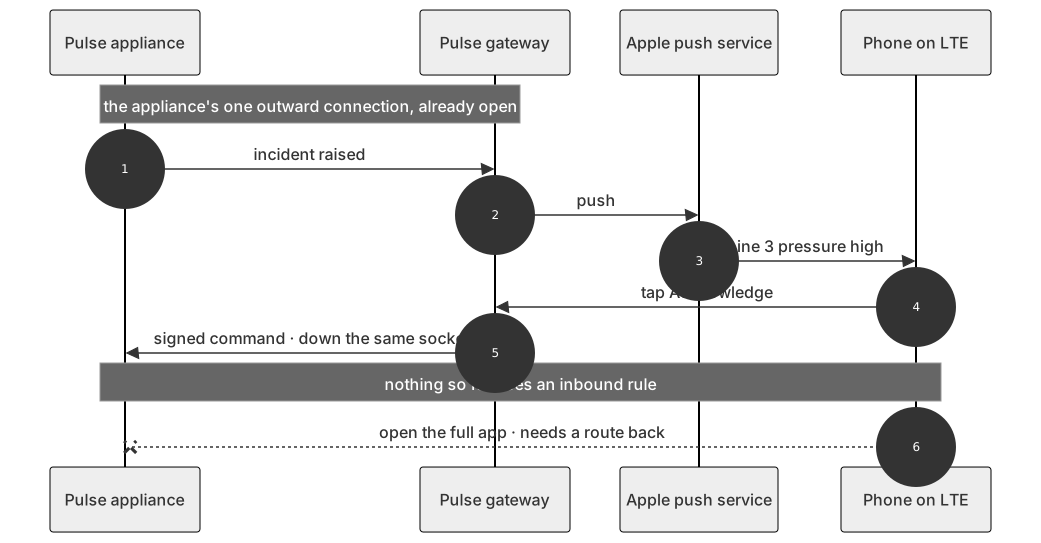
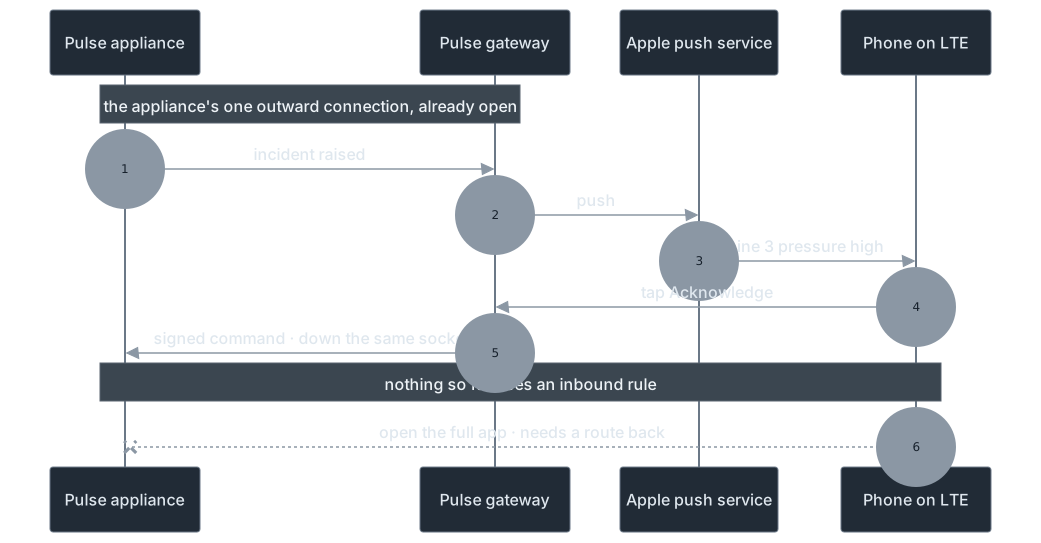
Notifications reach a phone anywhere, because the appliance sends them out over the connection it already opened. Acknowledging and resolving an incident from the notification also work anywhere, without the phone reaching your network at all.
Opening the full app is the exception: it loads the Pulse interface from your appliance, so the phone needs a route to it. Three usual answers, in the order most sites choose them:
- Accept the split. Your on-call engineer is paged anywhere and can take the incident immediately, then investigates once on the corporate network.
- Use your existing device management to give the app a VPN connection.
- Publish the web interface through your own reverse proxy, with your certificate and your authentication in front of it.
See Setup & Pairing for pointing the app at your server.
Related
- Collector Pairing — linking a collector to the appliance it reports to
- Collector Status — what a collector's own screen says when it cannot reach the appliance
- Installation — installing the appliance once you have chosen this route
- Networking — assigning the appliance a fixed address
- TLS Certificates — the certificate the web interface presents
- System Updates — updating without an internet connection